A lightweight, lightning-fast, and native SQLite database browser built with C++ and Qt 6.




WinSQLite Editor is a high-performance desktop application designed for seamless SQLite database administration. Built natively with C++ and Qt 6, it delivers an ultra-responsive user experience with instant startup times, low memory consumption, and smooth handling of large database files.
Get automatic background updates, easy one-click installation, and support the ongoing development of the project.

Download the standalone .zip or .exe directly from our GitHub Releases page. No installer required.
- 📂 Database Management: Seamlessly open, inspect, and manage SQLite database schemas, tables, fields, and indices.
- 📝 Smart SQL Editor: Built-in code editor equipped with syntax highlighting and context-aware autocomplete for rapid SQL drafting.
- ⚡ Ultra Fast & Native: Engineered with C++ and Qt 6 to ensure minimal resource overhead and rapid query execution.
- 🔍 Visual Data Browser: View, edit, and filter table data intuitively without manual queries.
- 🔒 Privacy-First: 100% offline-first desktop tool with zero telemetry or tracking.
| Table & Schema Inspection | SQL Query Execution |
|---|---|
 |
 |
Watch a step-by-step walkthrough of WinSQLite Editor on YouTube:
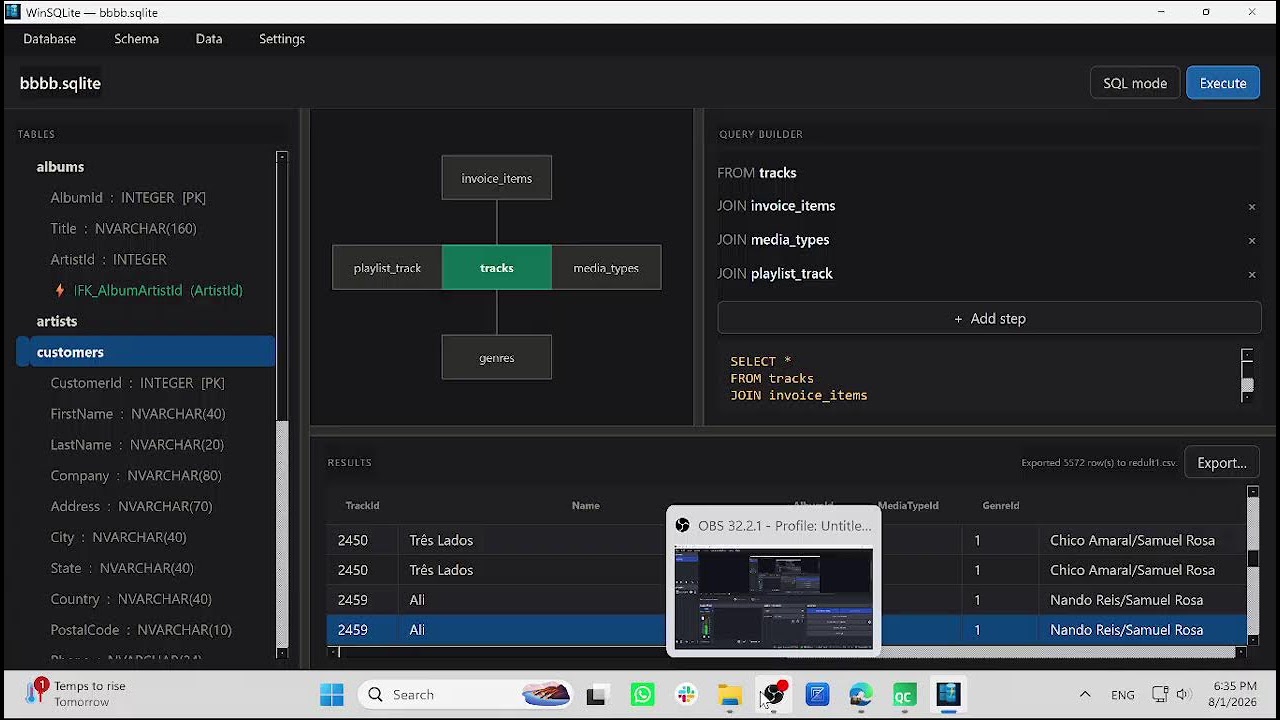
(Click the thumbnail above to open the video)
- Windows 10/11
- Qt 6.x development environment
- CMake 3.16+
- C++17 or C++20 compatible compiler (MSVC 2022 / MinGW)